Welcome to my blog

If you enjoy finding a lot of different outlets for your creativity, then we may just be kindred spirits.
This blog is an outlet for my interest in miniatures, crochet, plastic canvas, and many other various arts and crafts.

I also love walking, taking digital photos, and most recently, have rediscovered an old love...bike riding! I purchased an amazing new bike, a comfy Townie by Electra this summer, and have been having a grand time exploring the area as though for the first time. It's like being a kid again!

If you enjoy any of these things too, pour a cup of coffee and tea, sit down, and join me.


Take care!
Kat
Showing posts with label today's art. Show all posts

Saturday, October 7, 2023

Inktober 3, Path, Rembrandt WC Paint,


Inktober 3, Path, Rembrandt WC Paint

I did this path painting using my Rembrandt watercolor paints. This could also cover the "golden" prompt, but I did it for the "path" prompt.  I LOVE this paint set.

Inktober 2023: Spiders, Rembrandt Watercolor Paints & Ink


Inktober 2 "spiders" Rembrandt WC and ink

Inktober 2:Spiders

The second prompt for inktober was spiders; I hate spiders and didn't want to do anything realistic.
So first I did this little doodle: 


And then I redrew parts of it on watercolor paper and tried out my brand new Rembrandt watercolor, which I won during world watercolor month in July.  


Wow, this paint is amazing! I've never used artist quality WC before and it is so pigmented and vibrant! I love it so much.

Tuesday, March 7, 2023

Spring Lake Landscape Painting in Acrylics

 Spring Lake, Acrylics on Canvas Board

Spring Lake, acrylics on canvas board, following a tutorial by Joony Arts on Youtube


It came out great even though I followed the wrong tutorial, lol.

I'd originally planned to do a late winter scene, showing melting ice on a lake. I watched that entire tutorial, and I guess when it ended the next one (this one) queued up but I didn't notice and was half way through before i realized I was painting an entirely different painting than the one I thought I was doing, lolol

Here is the tutorial for this one, by Joony art, if you want to give it a go: Spring Lake


I did the sky and the mountains first, then added the base water color.  I really liked how the water looked real hear and was worried about continuing.

I added some darker and lighter spots to the water. I hated doing this because i really liked the water in the first section but I figured I'd better follow the tutorial.
It was at this point, adding the greens and yellows, that i FINALLY realized I was following a different tutorial and not the one I had prewatched, LOLOL.

I was terrified to add the long grasses, but they came out nicely. I used a fan brush. 
Finally added the flowers and the sun.  I didn't want to add the sun and the rays because I thought they looked strange and not sunray like at all, on the tutorial, but the tutorial is way better than mine, lol.

Finally, I added more light ripples to the water and to the mountain and more light on the flowers too. 

This is only my 3rd or 4th try at acrylics and I'm very happy with it.  So far I've done the Christmas ornaments, the sunset couple, the rose (twice) and this one.  I'm only counting the rose as one as one of those was just testing the watercolor paper at the dollar tree (not the best for acrylics but OK if you tape it down; it will warp otherwise). 

Rose Acrylic Painting

 Rose(s) in Acrylics

Roses in acrylics (left is on watercolor paper, right is on a canvas board)

So, I have been learning how to paint with acrylics...

And I am absolutely loving it.  I followed a tutorial by Aham Art on youtube, and you can find it here: Red Rose

I did these paintings with Monte Marte Acrylic paints.  It's a really nice paint, I think (but keep in mind I have nothing to compare it with other than dollar store paint, which I also like for priming the canvas, lol).

Acrylic paint on dollar store watercolor paper

I did this one (above) first, using my Monte Marte paints and dollar store watercolor paper.  It came out nice but the paint dried much more quickly than I expected so I had a hard time blending the backgrounds.  I got the hang of it better for the rose.  The leaves were my favorite part of this painting. 

Second try, acrylics on canvas board, following tutorial by Aham Art

I decided to try the painting again, this time just looking at the finished product on Aham Art's youtube channel, and my own finished painting. I added more leaves this time as I really loved doing leaves, and opted for a yellowy green background instead of yellow. I sketched the rose out first in pencil.

Red rose, acrylics on canvas board.

I did this as a belated Valentine's day card for my Mom (I was a day late because I also did a diamond painting of cute valentine gnomes for my parents and finished that on Valentine's day.). 

All in all, I'm happy with how this came out, but next time I want to do one without the dark outlines. I think the outlines give it more of a cartoon or comic book effect. I didn't outline the leaves. 

Thursday, December 29, 2022

My First Acrylic Painting, 8 by 10 sunset couple on Canvas Panel

 My First Time 

My first time doing an acrylic painting on a canvas panel, #Aham Art

Monte Marte Acrylic Paint on Dollar Store Canvas Panel

I am sooooo happy with the way this came out.  It is my first time painting with acrylics on a canvas panel.  

I used Monte Marte paint, and a dollar store panel.  I gessoed the panel the night before, and then today followed a great tutorial by Aham Art, which you can find here:A Romantic Couple in the Sunset by Aham Art

I started with the background, which was a yellow to orange-red Ombre for the sky, and a more orange to red ombre for the water.  Then I added the clouds and the sun and some ripples on the water, and darkened the skyline.  If I could do it over, I would do the sun before the clouds, but that's not how it was in the tutorial. I watched the tutorial several times but felt a bit anxious painting because I'd never done this before. My only experience is with the little ornaments I did for Christmas.

I seriously thought about stopping here, because I liked how it looked and was afraid I might ruin it if I kept going.


I next added the black at the bottom and the tree trunk.  Again I thought about stopping at that step because I was worried about adding the leaves.  I also added more yellow to the sky and the sun and to the lake.  Finally I did the leaves.  They were easy, once I found the right brush (I tried 10 different brushes on a tester before choosing one, lol).   Again, I considered stopping here as I liked how it looked and have never painted figures before. I was worried about painting the silhouette of the man and woman so I drew it with a chalk pencil first, then painted it in.  The finished image is at the top of the page, and I'm so happy with it, for my first try.


Here's my little art area.  I have my laptop next to me, an air conditioner under my table, and a very slanty roof that I kept hitting my head on, but I love it, lol.

Monday, November 7, 2022

Today's art: Poppy in Alcohol Marker & Pencil Crayon: My 1st Time using Alcohol Markers

 My First Time using Alcohol Markers

Poppy done in Alcohol Marker and Pencil Crayon


I bought a set of Bianyu Alcohol Markers off Amazon.ca on sale for $36.99 for a set of 72 markers complete with carrying case and blender.
Bianyu Markers


The above pic is from Amazon and this is exactly what I used.

I have never used Alcohol Markers before and was worried about the smell, but unless you stick them directly under your nose and sniff, they weren't strong and I didn't even notice any smell for the entire time I was drawing/coloring (about 2 hours). 

I used this photo by James Lee as a reference photo, found on unsplash, which has royalty free photos. You can find it here: poppy reference photo.

I sort of followed this tutorial by The Frugal Crafter, Lindsay Weirich, on Youtube. You can find it here: Poppy tutorial

I say sort of because Lindsay is a real artist and she's really good and I am just learning, so I wasn't able to follow exactly. For one, I need more practice with sketching lol.  I really like her tutorials though; she's really good.

Sunday, November 6, 2022

Today's Digital Art: Poppy Field with Procreate on the Ipad

 Procreate is still my favorite way to make art

Poppy Field on Ipad #JamesJulierArtTutorials


I am so happy with the way this poppy field digital painting came out!  James Julier makes the most wonderful tutorials for realistic landscapes.  I can only follow the tutorials if I don't have a headache, and thankfully today I woke up headache free so was able to jump right in.  

As always, these paintings look so much better on my Ipad than they do on FB or Instagram or even my computer.  

If you want to give this tutorial a try, you can find it: here

Thursday, November 3, 2022

Today's Art: Translucent Layered Poppies in Watercolor

 Watercolor Poppies


Watercolor Poppies with Winsor & Newton Cotman #Emma Jane Lefebre

Winsor & Newton Cotman & Canson XL Watercolor Paper


I found a fun tutorial on Youtube, by Emma Jane Lefebre, and was able to follow along to make these pretty translucent poppies.

It was not as easy as Emma makes it look but she is a pro and I am a newb, lol. It's hard to figure out how much water to use; too much and you get a runny mess; not enough and you're dry brushing, lol.

I had fun though, and am very happy with my first attempt at translucent poppies.  I should have waited until tomorrow to take photos as it's almost midnight and quite dark, so they photos don't look as nice as the real painting.  

If you want to try the tutorial, you can find it: here

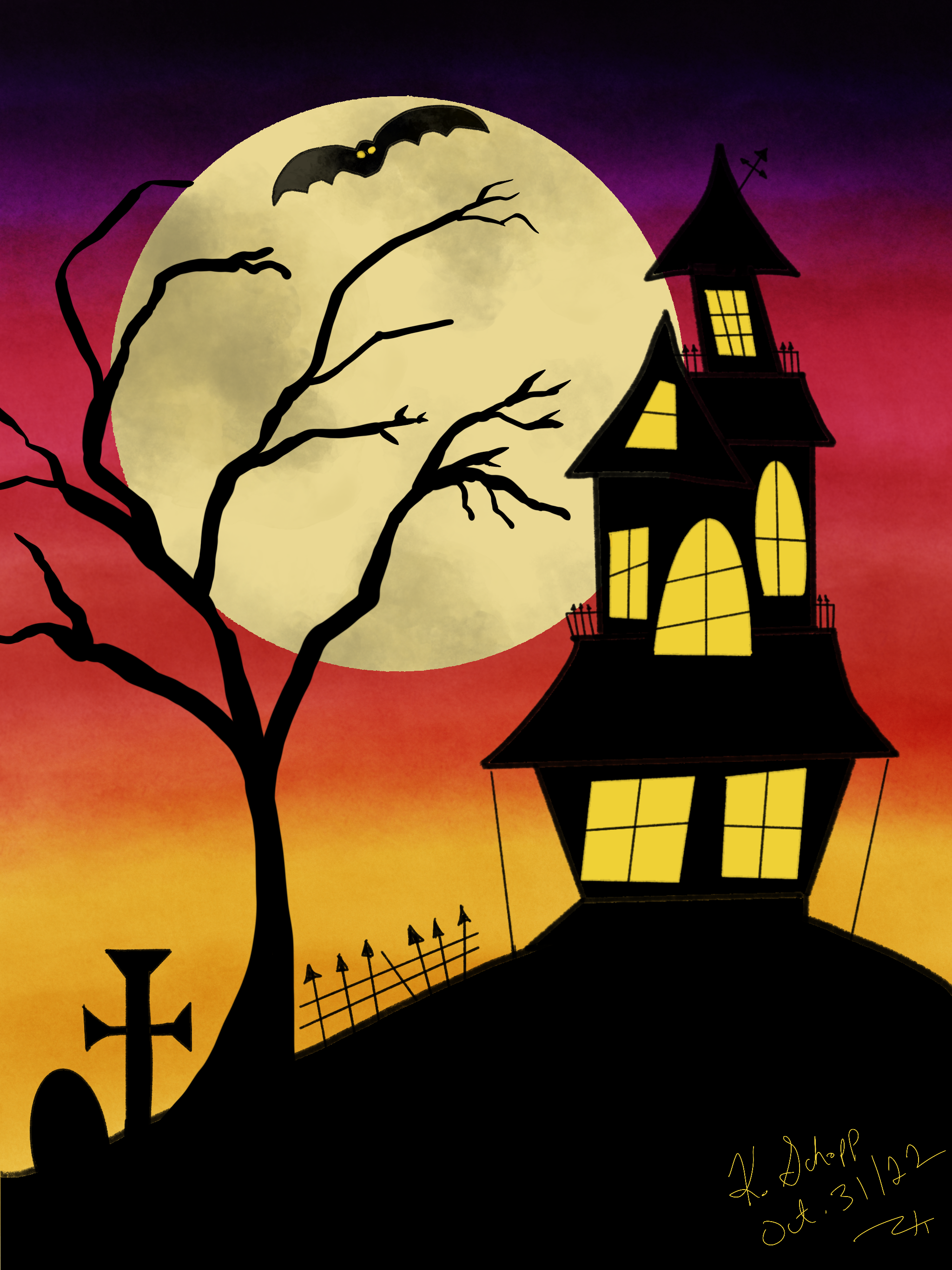
Ipad Art: Halloween

 I still love my Ipad

Halloween Art on Ipad with Procreate following a Watercolor Tutorial, lol.


I found a tutorial on Youtube for a cute halloween watercolor, but I had a headache and didn't want to deal with water and brushes and mess.  So I grabbed my trusty Ipad and just looked at the finished product on Youtube and ignored the tutorial and did it on Procreate. I'd still like to try the tutorial with watercolors but Halloween is over now, so maybe next year.  I used Gouache brushes to make this, and am happy with how it turned out.  

Sunday, October 30, 2022

Today's Art: Procreate Halloween JackO'Lanterns

Hanging Jack'O'Lanterns


Made with Procreate

I found this cute tutorial for a watercolor illustration and decided to try it on procreate first, lol.  Here it is; I really like it.


You can find the tutorial here: de Winton Paper Co

Saturday, October 22, 2022

Today's Art: Watercolor Pencil Fish Birthday Card for Dad

 Tomorrow is Dad's 83rd Birthday

So I made him this watercolor pencil card.

Birthday Card for Dad made with Arteza Watercolor pencils.

It was fun to make but it's pretty basic. I am not happy with the sun or the colors but I was trying to do a more masculine thing, lol.  I also kept looking stupidly at the watercolor paper for AGES, searching for the undo button, lolol. I'm too used to digital art on Procreate.  I love the watercolor pencils but boy, I sure do miss that undo button, lol.

Wednesday, October 19, 2022

Arteza Watercolor Pencils: Halloween Pumpkins

 Halloween Pumpkins/Arteza Watercolor Pencils

Areza Watercolors #DrawSoCute tutorial


I am LOVING my Arteza Watercolor Pencils

They are so nice to use; creamy and smooth and the tips don't crumble and break, like the AGPTEK set or the Artist's Loft set.

However, the other 2 sets still give great results and possibly even more vibrant colors, so I'll be getting use out of all of the sets.  Also, the harder sets stay sharp longer for details.  

Having said that, I like the way the Arteza brand works better.  

I found this cute drawing tutorial on Youtube, by Draw So Cute: How to draw easy pumpkins

Wednesday, June 8, 2022

Today's Art: Yellow Tailed Damsel Fish, on Procreate


Yellow Tailed Damsels by Kathy Schopp, on Procreate


I've been in a fishy mood, lol.

I found a photo of a pretty yellow tailed damsel fish and did my best to recreate it on my Ipad, with Procreate.  
Here's the image I found online at Bird's Head Seascape blog:


Sunday, June 5, 2022

Today's Art: Damself Fish, on Procreate

Damsel Fish, by Kathy Schopp

 Todays Art on Procreate: Damsel Fish

So I drew the damself fish on the upper left, after looking at loads of pictures of real fish.  Then I painted him, experimenting with different brushes, colors, and layers.  I duplicated him twice and played around with the shape, color, and orientation for the other two fish. 

The background was just painted with the soft air brush in several colors of blue from dark at the bottom to lightest at the top, and the plants are just brushes that came with Procreate, in various colors and opacities.  I had fun, and need to try again as I'm not fully happy with the fins.

Saturday, June 4, 2022

Octo Moon Ipad/Procreate Original Art/cartoon


Octo Moon by Kathy Schopp


Octo Moon


I created this cute little Octopus tilting the moon, on Procreate with my Ipad yesterday. No tutorial, just my imagination. I want to try it again without the black outlines and maybe more detail.
I wrote a story to go with it and hope to do more drawings to go with the story.


Tuesday, December 7, 2021

Today's Procreate Art, an Original by me, lol: Christmas Squirrel on an Icy Pond

 Christmas Squirrel on an Icy Pond

Christmas Squirrel on an Icy Pond, digital art on Procreate by me, Kathy Schopp

I've been doing a lot of Procreate tutorials on youtube since mid September, and I decided to try something on my own today, using techniques I've learned.

I'm really happy with the way this came out.   I experimented with a lot of different brushes.  I did the trees with the fine nozzle spraypaint brush.  I used different texture brushes for the texture, and I used the Sable brush for the squirrels fur.  These brushes all came with procreate.  I only drew the tree once, and cut and pasted and warped and resized them, and also flipped them around so they were facing different directions. 

I need to figure out how to crop the photo because I'd like to crop out some of the sky.  When I was drawing I made the canvas bigger and then forgot the top existed, lol.  I added clouds but would like to cut it out and make the painting end just above the tree line.

I used this photo of a squirrel for reference.  I had it open on my computer to look at while I drew on my Ipad.  I know there's a way to use reference photos on the ipad but I forgot how, lol.


I greatly simplified the squirrel by drawing shapes...mostly ovals, for the head, body, and legs. I wanted mine standing up straighter than the image above so I just straightened his little back. I could have shaded the squirrel more but I didn't want it too realistic looking.  I'm very happy with the way it turned out.  I hope you like it too, and that it makes you smile.

Wednesday, November 10, 2021

Today's Art, Northern Light's, Procreate

Northern Lights, Procreate, following a tutorial by James Julier

 Northern Lights on Procreate

I had a lot of fun painting these dancing sky lights on procreate. I was lucky enough to see real Northern Lights like these when I taught way up North in Moosonee ON, years ago.

This entire painting was done mostly using the airbrushes, except for one spot on the snow where I used a crayon brush. 

If you want to try this, the tutorial by James Julier can be found here: Northern Lights

Sunday, October 31, 2021

Today's Art: Happy Halloween

 Happy Halloween

Procreate art

I drew these pumpkins for Halloween, following a tutorial from Youtube. 

Monday, October 11, 2021

Happy Thanksgiving! Today's Art is Thanksgiving Themed.

Procreate Art, from tutorial by Tatyworks

 Thanks to Tatiana from Tatyworks for this fun tutorial!  Today is Thanksgiving here in Canada so this is perfect. 

I changed the tutorial a small bit...the only changes I made were to make the border red instead of white, and to add the words Happy Thanksgiving. I need to learn how to do calligraphy as my penmanship is awful, lol.

If you want to try this cool tutorial, you can find it on Youtube, here: Pumpkin & Apples by Tatyworks

Thursday, September 16, 2021

Cute Fox in the Forest, Artwork on Procreate


Cute Fox in the Forest, Today's Art on Procreate, #Tatyworks

I LOVE my Ipad and Procreate

Today I spent hours drawing/coloring this adorable fox in the forest.  I saw this tutorial by Tatyworks on Youtube a few months ago and really wanted to try it, but it was a 56 minute tutorial, and I figured that since half hour tutorials take me hours to finish, an hour long tutorial might take me days, but I got it done in one day (I am guessing it took about 3 hours?)  Nope...I just checked; my Ipad says it took me exactly 4 hours and 9 minutes to finish, lol. 

Totally worth it, and I'm sure I'll get faster once I learn more. I have learned a lot already.  Procreate is much easier to learn than Clip Studio Paint.  Much more intuitive. Plus, all the good tutorials are done for Procreate and being able to follow tutorials along exactly the way they were made is amazing. 

If you want to try this tutorial, you can find it here: Draw a Cute Fox in the Forest