Welcome to my blog

If you enjoy finding a lot of different outlets for your creativity, then we may just be kindred spirits.
This blog is an outlet for my interest in miniatures, crochet, plastic canvas, and many other various arts and crafts.

I also love walking, taking digital photos, and most recently, have rediscovered an old love...bike riding! I purchased an amazing new bike, a comfy Townie by Electra this summer, and have been having a grand time exploring the area as though for the first time. It's like being a kid again!

If you enjoy any of these things too, pour a cup of coffee and tea, sit down, and join me.


Take care!
Kat

Wednesday, July 14, 2021

Seeing Cartoons Everywhere, lol

Cartoon Face in a Lily Pad


I went for a walk with a friend the other day and posted some photos on facebook.  One was of lily pads in the beaver pond.  There's a face in one of them...can you see it?


It's at the top right, but not quite the corner. In the corner, I swear I see the letter K, lol


I cropped the photo so you can see the face. My friends on Facebook love it, lol.  It sort of looks like Peppermint Patty from Peanuts, lol.


Digital Watercolor Tree

 I painted a tree!


Watercolor tree on Veikk VK 1200


I found a wonderful art teacher on Youtube. I love her tutorials and her art style too.  I just wish she wasn't drawing on an Ipad with Procreate.  I follow along as best as I can on my Veikk with Clip Studio Paint, lol.  So far, I think she's a way better teacher than the guy who's teaching the Udemy class I bought yesterday.

The artist's channel is called Genevieve's Art Studio, and her video is called How to Draw Watercolor Fall Trees in Procreate

Mine isn't as pretty as hers but I'm pretty happy with how it turned out. I learned how to do so many new things.  Now if only I remember them tomorrow, lol.

Another Box from Amazon with More Art Books

 I love Amazon Prime, lol.

Today I got another package, with four items I ordered arriving together. 

I ordered some anti static gloves for use with my tablet, 2 books on art, and a cover for my tablet.  The cover was super cheap (4.99 Canadian) and it works great!  It even lets me stand my tablet up at an angle. I'll have to take a photo of it later.


Unboxing always makes me feel like a kid on Christmas morning!

Both books were amazing!  One, the Art For Kids; Cartooning, by Art Roche, was fantastic!  I know it was for kids, and it was so short I read the entire thing in probably half an hour, but it is full of great tips and beautiful cartoon style artwork.  It will take me ages to get through the lessons inside.

The second book, Draw 100 Things that Make You Happy by Christopher Hart is also beautiful, just chock full of gorgeous artwork.  I got it because I think the style I want to draw for my cartoon is somewhere between simple drawings and his style. Maybe fatter less stylish versions of his style, lol. 

I did more of my online art class from Udemy today, and am looking forward to doing some of the actual drawing lessons later today.  I have to eat supper first.  

My best friend is coming to town tomorrow. She is Canadian but married an American and lives in the US.  She can finally come to visit.  She only lives an hour and a half a way, but because of the border restrictions, I haven't seen her in a year and a half. That's the longest we've ever gone without seeing eachother.

She's only coming for the afternoon tomorrow; and will be spending most of her time with her Mom for this first visit.  Her Mom is now fully vaccinated, and so is my friend.  I am going for my second shot on Saturday.  Then it will take 2 weeks until I develop the antibodies, so I'll get to spend time with Laurie next time she visits. Tomorrow we'll just stay 6 feet apart and visit in the back yard (her Mom lives next door to me).  


Tuesday, July 13, 2021

Learning Digital art with Udemy, Youtube & Books (Oh My!)

 Udemy, Online Learning

I am a BIG fan of Udemy, an online learning platform that has GREAT sales.  Seriously, never buy anything there for regular price because if you wait a few days you'll get the same course for over 100 dollar off, lol. 

I've been watching Youtube videos for hours every day, and I ordered some art books, and they're great. I love them.  But then I remembered Udemy, and I remembered that a few years ago I started an art class on Udemy and never finished it.  You see, the pandemic hit, and I totally forgot about art.  I just obsessively read the news every day all day for about 6 months or more. My brain just couldn't learn new things at the time.  I'm so glad that things have changed and I'm now able to learn again.

So I found my old sketchbook and was impressed by what I'd learned.  Also impressed by my sketches. I wanted to follow the rest of the course using my drawing tablet and clip studio paint, but I really don't know enough about how to use either one yet.  So I did a search to see if Udemy had any classes on learning how to draw on Clip Studio and found 2!  And they were both on sale. So this morning at around 8:30 AM, I bought both.

The first is called Clip Studio Paint Pro/Ex and it basically teaches students how to use Clip Studio.  The course is a few years old and Clip Studio has updated quite a few times but I'm still learning a lot.  
I was pleasantly surprised by how much I learned on my own, by watching Youtube and reading tutorials. I didn't think I knew much at all yet, but I had already learned a lot of the first few lessons, which was great.  There was also a lot that I didn't know, which is handy.

After doing the class for HOURs today, I thought I must be coming near to the end of the class.  Boy, was I surprised to find out that I was on lesson 32 of 216, lol.  

I've just gotten out of the "how to use the basics" of clip studio and am getting into the intro of how to actually draw on clip studio, which is great.  I got the class on sale for $16.99 US...so about $20 or so Canadian.  The regular price is $119.00, which I could never afford.  But like I said, NEVER pay full price on Udemy, unless you're rich and want to support the instructors. If you're rich, go for it, lol, but if you're like me then wait for a sale :-). 

The second class I bought is called A Pro's Guide to Coloring with Clip Studio Paint.  It was also on sale for  $16.99, down from $54.00.  It looks really good and  I can't wait to get into it, but I need to get the basics down first. 

Tomorrow some of the books I ordered online should also come in, lol.  I'm going to be super busy for a long time.  I plan to download the second course, pack up and take my drawing tablet, laptop, and a bunch of books (and my parrot) out to our cottage for a few weeks.  We don't have cable or internet out there so I'll be able to keep busy with drawing.  I'm so looking forward to it. 

Monday, July 12, 2021

Still Life and Scenery on New Art Tablet

 I've been practicing on my Veikk art tablet some more, and having a blast.  

Digital painting of apple, following a Youtube tutorial
I followed a Youtube tutorial to do this apple, and I'm really pleased with how it came out, especially since the tutorial was done on an Ipad using Procreate and mine was drawn on my Veikk using Clip Studio.  I hope I can find more tutorials like that.
Just playing around with various brushes
The dock photo is just one I came up with on my own...just playing with brushes and trying out different effects. I forgot to put in the reflection of the mountains...oops, lol.  
Lesson 1 from my new art book
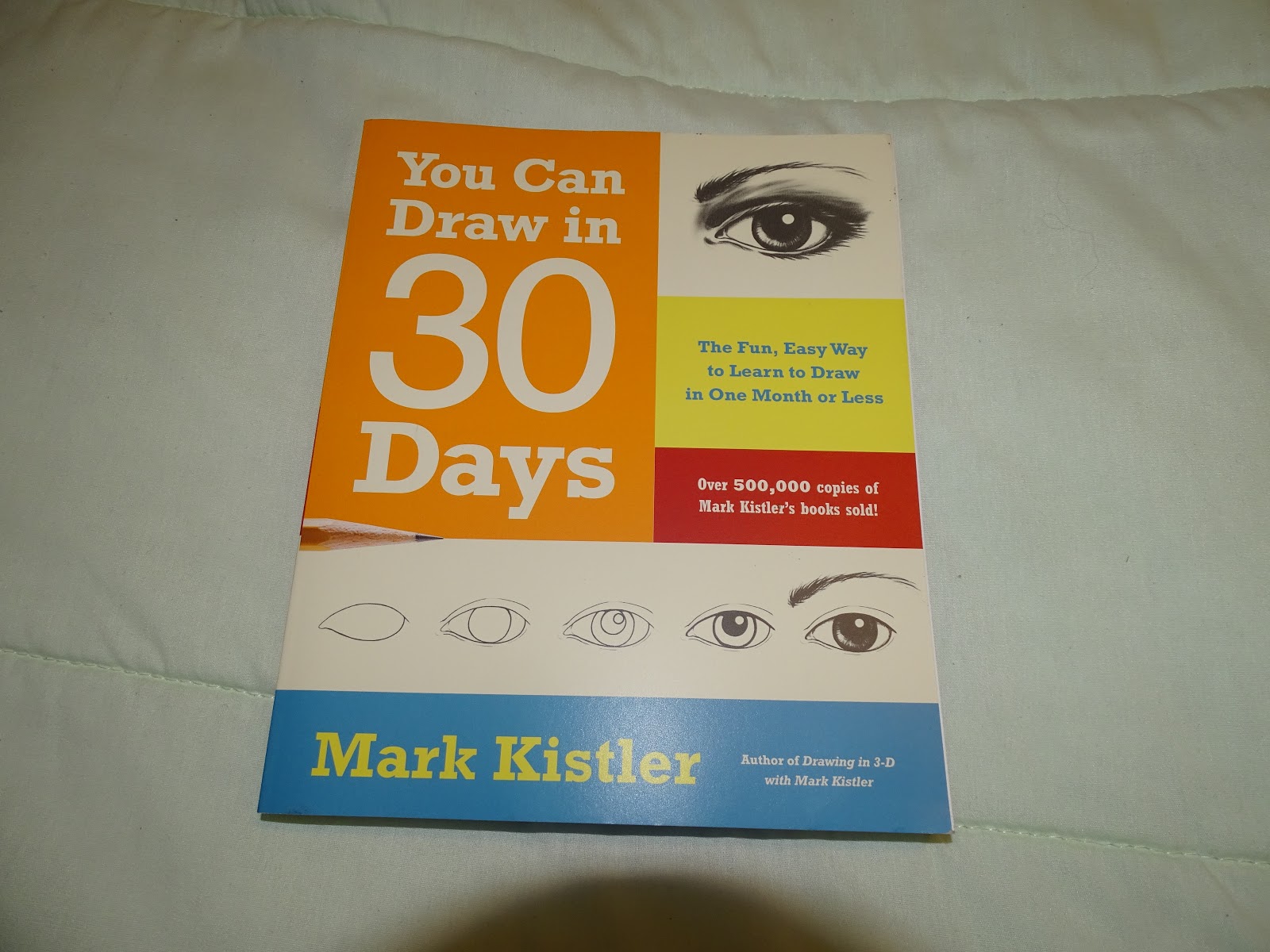
The simple shaded sphere was lesson one from my new book, How to Draw in 30 days. 
Simple cartoony style, practicing with the tablet

Lastly, this little house drawing was just me practicing how to use layers and the reference tools.  I think I still like this simple style the best, although I did have fun doing the apple.

I'm really enjoying this :-)

Sunday, July 11, 2021

Catie in MeowMeowland, Beautiful and Quirky Puzzle Game

Uncle Buck's 90th Birthday

 My Uncle Buck Turned 90 a few weeks ago

...and yesterday I was able to go visit  him because he was finally fully vaccinated.  I had to wait 2 weeks after his second shot to go over.

I actually didn't HAVE to wait as nobody else did and the rest of the family had a big indoor party for him 2 weeks ago, just a few days after he had his second shot. I was so angry with my family members, because he's 90 and needs to be kept safe. It was a nice day on his birthday and I suggested people visit individually or in small groups out on the deck, outside, but nobody listened to me and everyone went in. 

I sent him a balloon bouquet and dropped off a gift but didn't go in until 2 weeks later.


Yesterday I dropped off his other gift.  It was nice to see him.


I had a photo mug made for him.  His beloved wife, my aunt Cobie, passed away 6 years ago, and he was thrilled to see her on his new mug.  He told me that now he can have coffee with her again


I also was able to set up his other gift, the Echo Show 5.  I got him the Echo Dot a few years ago and he LOVES it and uses it all day every day to play his favorite music from Amazon Prime, and to ask Alexa questions.  So this year I updated him to the Show.  I was just going to buy him the newest echo dot, but this show 5 was only 10 dollars more.  He really loves it, and was amazed by how much it can do.  I showed him how to watch Youtube videos, and lots of other stuff.  He loves that he gets videos or still photos with his music now.

When the Echo Show is at rest, it shows a clock radio type face with the time and date, and weather. I also uploaded a bunch of photos for my uncle, so he can ask to see them and it will play a slideshow.

I asked the rest of the family to download the Alexa app to their phones so they can video chat with him, but so far nobody has except for me.  Plus I'm not really sure how that feature will work as my uncle doesn't have his own mobile phone so his show is tied to my phone, and my amazon plan.  That way he gets the free music because my family pays for the subscription.  We have the family plan.


He was really happy with his gifts.  I'm so glad.  I can't imagine being 90 years old.  He was around before TV! 


New CheapTablet, Book, and Tablet Case Arrived

My New Stuff Arrived, Yay!

I LOVE Getting boxes from Amazon.  I was so looking forward to this one, and it came so quickly!


There were lots of great things inside!


Like my new super cheap tablet, a Dragon Touch Max 10 ten inch tablet, which I plan to use to watch Youtube Tutorials and read Kindle books about art while using my art tablet.


And this cool book by Mark Kistler, called "You Can Draw in 30 Days".  He has a very nice writing style, and is super encouraging and warm.


My new tablet case also arrived. It's big enough to hold both the drawing tablet and the new Dragon Max 10 tablet, plus the cords and pens and anti static glove. I'm really impressed with it, although I wish it was thicker and more sturdy.  It's fine for using in the house but I'd be worried to take this out and about.


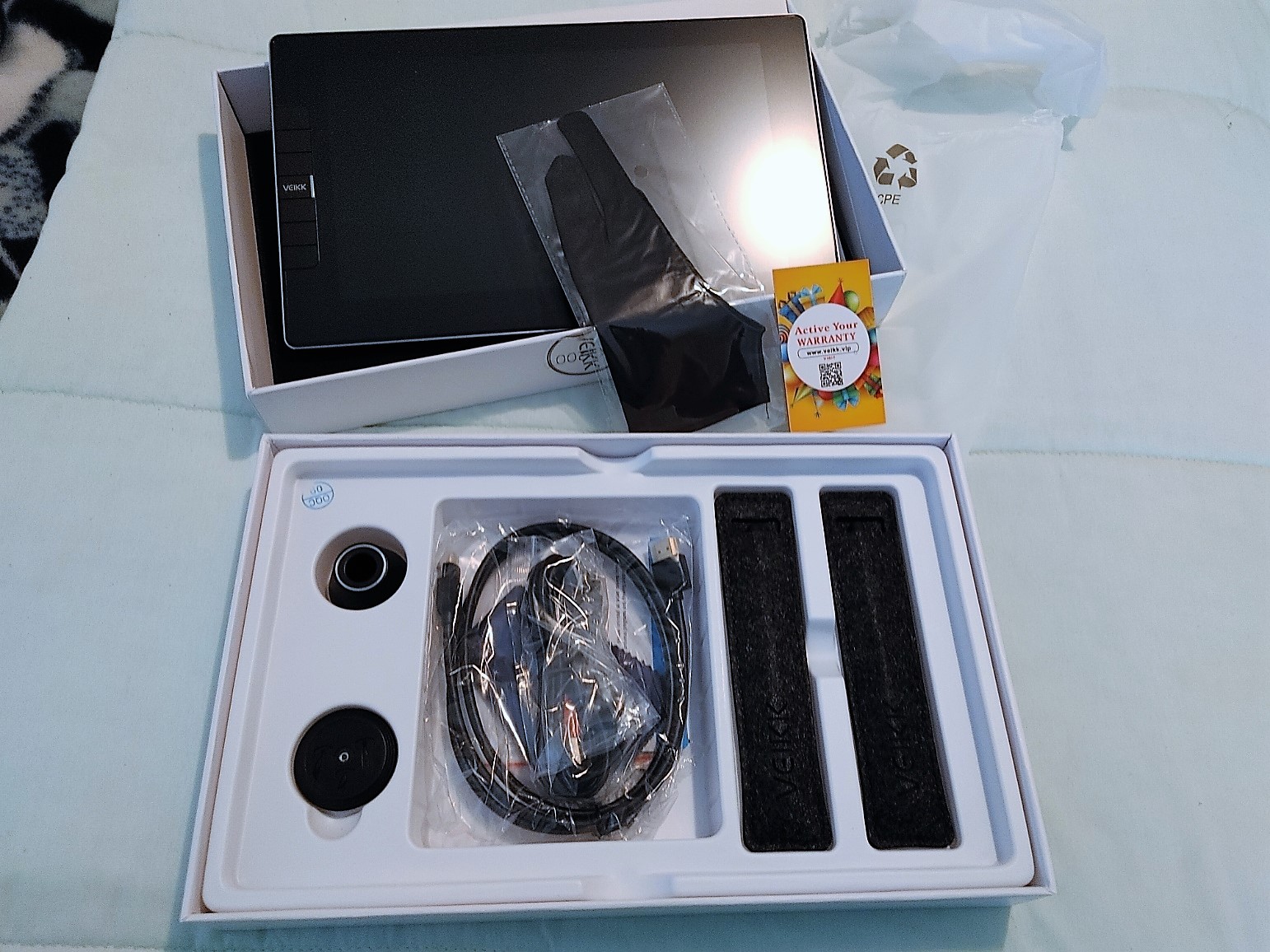
Here are all of the goodies, back in the box :-). 

The tablet works great, considering it was so cheap, and it's nice and big so I can more easily follow along with the tutorials than I could on my little phone. 

I'm very happy with it, and as an added bonus, I can use it to follow recipes in the kitchen, and for video chatting with friends.  I'm very happy with it, considering it was only $229.00 Canadian, with a 30 dollars off coupon that brought it down to just below 200 bucks.  The battery life is great too.  The only bad thing about it is that it's not bright enough for outside use in bright sunlight. It's perfect for indoors though.


Thursday, July 8, 2021

Back to Simple Cartoon/Comic Style

 I think I like the simple style best so far...

I'm using a book called "How to Draw Cute Stuff" by Angela Nguyen, and it is just the cutest little drawing book every.    It's probably for children, but I don't care, as it really makes me smile. 

The little girl above is my attempt at drawing one of the hairstyles in Angela's book.  I really like how she came out. 


The little doodles above are simple doodles from her book, where she's showing us that circles can be made into lots of differnt animals. I also followed her shading and "use pastel colors' advice for this one.

I bought the book at Coles bookstore, but it is also available on Amazon. It has so many cute human and animal characters, as well as little cars and cupcakes, etc.  It's just really cute.

I also ordered some new art books on Amazon.  


Captain Bones, Fun Survival Crafting Pirate Game

Wednesday, July 7, 2021

Fred and George Weasley, as Cartoons 

LOL


Learning how to draw faces looking in different directions, second try. 

 Yesterday I drew the two faces below.  I was unhappy with the fact that their eyes were too high up, so today I redrew them.  I lowered the eyes and eyebrows to line up better with the ears.  I learned how to blend the hair highlights better, and learned how to clip layers to the layers below, which was cool...and I guess how Clip Studio got it's name, lol. 

I used so many layers I got confused for a bit, lol, but it all worked out in the end when I remembered I could put layers in folders to help better organize.  I'm still having fun, and still learning a lot :-).  I'm also still forgetting a lot of what I learn, but I guess with time, practice, and repetition, I'll start to remember more.

Learning how to draw faces looking in different directions, first try.

Tuesday, July 6, 2021

Obsessed with Tablets and Bought ANOTHER New one

 I thought I was done with art practice for today but...


...I decided to try another Youtube Tutorial...one showing how to draw heads.

This is wobbly and I think the eyes are too high, but I'm happy with how much I learned.  It's not easy, learning how to use the drawing tablet, the art software, AND learning how to draw all at once, lol, but I'm having such a blast with this. 

They kind of remind me of Shaggy from Scooby Doo...maybe they are his cousins, lol.

I want to try again right now and lower the eyes and do red hair for the Weasley twins, lol, but it's almost 2 AM and I'm exhausted. 

I watched hours worth of art tutorials again today, but this is the one I tried to follow: How to Draw Simple Faces by Marc Brunet

It's a good tutorial but a bit hard to follow because he kept flipping his work sideways without telling us or warning us that he was going to do it and I didn't always notice and kept drawing on the wrong head, lol.  

To be fair, I was watching on a tiny screen that I could barely see.  It annoyed me so much that I ordered a cheap but large tablet off Amazon.  My old tablet won't work any more, and my phone is just too small.  My drawing tablet requires my computer to work.  If I had to do it all over again I think I'd just get an ipad pro instead of having to deal with so many different screens. They're super expensive though, and I couldn't justify it since I'm not an artist, just a beginner who is having fun learning.  

I was going to buy a new tablet eventually so my Dad can look at recipes.  I'm too scared to let him use my good gaming laptop near ingredients, lol.  

I ordered the Dragon Touch Max 10 Tablet.  It was only $229.00 Canadian including the protective cover, and I had a $30 dollars off coupon so it just came to $203.00 Canadian including tax, with free shipping.  


It runs Android 10, and at 10 inches it will be much easier to watch Youtube tutorials than on my little phone.  


It's kind of a pain in the butt that to draw I'll need my drawing tablet, my laptop, and also this extra tablet to watch videos while I draw, lol, but once I learn what I'm doing I won't need to watch videos.  Plus, I don't need paper or paint or pencils or markers, etc.  Plus, it's fun and I LOVE tech.  


I Tried to Follow a Cool "How to Color Eye" Tutorial

 YouTube Tutorials are Amazing!

I found so many great artists online. One, a super talented gal who goes by the name "Loves2DrawManga," has many great tutorials using Clip Studio Paint, and one caught my eye (sorry, "eye" couldn't resist). 

My first digitally colored eye, following a cool tutorial by Love2DrawManga on Youtube

This was a coloring tutorial, and I was drawn to it because I really love the artist's work, and this particular tutorial seemed simple and I thought I could remember the steps. 

I was wrong, and had to watch the tutorial on my phone and pause and rewind a bazillion times. The joys of getting old. What on earth made me think I should get into art at the age of 57, lol? 

 I need my computer to run my digital art software, and it's too annoying to go between the art program and Youtube, so I had to use my phone...which strained my eyes, even with my reading glasses on.   

However it was worth it.  This gal makes amazing tutorials and I learned a lot.  This was a coloring tutorial, so I need to see if she has a sketching tutorial, because my sketches are sketchy, lol.  

I'm still happy with how this turned out, and if you want to try it, you can find the tutorial here: How to Color a Manga Eye Digitally for Beginners


Monday, July 5, 2021

Using 3 D Models as sketch references

 Clip Studio Paint has 3D models

I'm learning new things every single day! Today I learned about using 3D models.  You import a model and then lower the colors so they're muted, and then make a sketch layer on top so you can design clothes right on the model. It's a good way to learn the proportions of the human figure.  Here's my first and second try.  

Using 3D models in Clip Studio

Using 3 D models in clip studio

The models are naked and have no hair or facial features, so you can draw clothes, hair, eyes, noses, lips, etc., right over them.

 I'm still learning, so my drawing is very basic, lol.  The only difference between the two pics above is that I moved the eyes on the second photo, and changed the colors. I also omitted the shadow under the feet because it looked too much like when the Sims pee themselves, lol  

I watched a bazillion drawing and digital art tutorials on YouTube today, and learned a lot.  I've managed to retain some of the info too, lol. 

I like my freehand drawings of my self character better than this, but I wanted to learn to use the modeling tool.  I still need to learn how to do hair, shading, proper sketching...there's so much to learn, but for now, I'm just trying to learn the digital art program and get used to my new drawing tablet. 

Sunday, July 4, 2021

Smokey the bird as a Cartoon with Digital Art

 More Cartoon practice...


...all of these sketches were done freehand by me.  First I did a sketch layer, where I do a rough sketch.  Then a line layer were I trace my own sketch.  Then a color/fill layer where I add color.  Sometimes I add a balloon text layer too. 

I've been turning Smokey into a cartoon. Here she is wishing everyone a Happy 4th of July

It's July 4th, so I drew this little cartoon of Smokey wishing my US friends a Happy 4th of July. 

Smokey sleeping and snoring

I also practiced different facial expressions.  This (above) is Smokey's sleepy/snoring face, lol. I love it. I even think I like this simple style better than the one, below. 

Another version of Smokey...

I've decided I want to use hearts in her cartoon design...or sort of heart shapes.  One for her face mask, and one for her chest.  Just loosely based on hearts, but it simplifies things. 


AngrySmokey


I am bad at doing the side view, open mouth (above) so I need to keep practicing.  I think the mask is too severe here so I need to round off the bottom part.  I was going for an angry look here, and I think I got it, lol. 

I used the photos I traced earlier today as references but did not trace them, I sketched them myself. 

I think I'm improving a bit.  I just need to keep practicing.

I'm really enjoying my new Veik VK 1200 pen display tablet. It's not perfect, but it's pretty cool. 


Veikk VK 1200 Pen Display Test

 I love my new Veikk VK 1200 Pen Display!

It's going to take me awhile to get used to it, but it's very cool, and it's working well.

Simple paint practice on new Veikk VK 1200 Pen Display

First I tried this apple painting from the Clip Studip tutorials. OK, it doesn't look much like an apple, lol, but this tutorial was to learn how to use the watercolor brushes, and how to blend, then how to add details.

I'm not an artist so this is what I got, lol.

Next, I tried importing a reference file so I could practice copying lines.  I did not sketch the following pic, I just copied it, changed it a bit to make it an African Grey parrot, and colored it. I'm trying to learn how to sketch bird faces from every angle. 


I needed a way to see the beak from different angles.  I think it's pretty cute.  

The Veikk is a lot bigger than my tiny Wacom, but it's still a small tablet, and I have to wear my reading glasses in order to see Clip Studio Paint's tiny icons on the screen. It works with my glasses, so that's good. 

If I stick with art for a year...and if I show enough improvement, I'll buy a bigger tablet, but for now, this is great.  For 200 dollars including shipping I have a pen display tablet and it works great in my opinion.  It's basically a second display that I can draw on.

Bear & Breakfast/First look at an Adorable new game

Saturday, July 3, 2021

Veikk VK1200 Pen Display Tablet

 I'm SUPER excited!


My BRAND NEW Veikk VK 1200 Pen Display Tablet arrived in the mail the other day, a full week earlier than I expected it. Woohoo!

My new Veikk VK1200 Pen Display Tablet


I bought it on Amazon.com Prime day for a really great price...under 200 including shipping (which isn't free to me because only Amazon.ca prime gives me free shipping...but Canada cancelled our Prime day so I had to order from the US site.

Veikk VK1200 Pen Display Tablet
It was well packed and came super fast.  
Veikk VK 1200 Pen Display Tablet

I was a bit worried because when I tried to download the driver, Veikk's website was down, but I was able to message someone at Veikk to let them know and they sent me a message back a few hours later to apologize and tell me their site was up and running again. I downloaded the driver and tested to see if the tablet worked. It did :-). 

First Veikk sketch
I didn't have much time to test it out because my brother came in from out of town, so I just managed this simple little drawing/sketch of a fish jumping. It was really just to test out the program, and also to see how much I remembered learning from the day before. I remembered how to do layers, and how to add color without going out of the lines. I also had some fun with different brushes. I can't wait to try it again.

Having said that, I'll miss my little Wacom.  Unfortunately, I can't use both at the same time because for some reason these tablets hate the drivers of every other tablet, so every time you install one art tablet's driver you first have to uninstall all the others.  My little Wacom is really tiny and only has a 6 by 3.7 inch drawing area, which is really small and causes my hand to cramp up, BUT I love how light and easy it is to use.

The new Veikk has a much bigger drawing area, 11.6 inches, and it also has a color screen that shows my drawing right on the screen so I don't have to look at the computer, which is nice, but it will take some time to get used to.

It had a lot of very good reviews though, so I'm hoping I'll like it.  It's a cool tablet, and I love how affordable it was.

Last year I tried to get a pen tablet, and ended up returning it because it never ever worked, right out of the box. It took me a year to build up the courage to get this new tablet.  I'd love to stick with Wacom but the prices for bigger tablets are crazy high, even for ones without the pen display (the screen that you can see and draw on).  I do like the Veikk so far and can't wait to spend more time with it.

It came with 2 pens, 2 pen cases, lots of extra pen nibs, a pen stand, a little glove, and a microfibre cloth. I'm babbling so I'll stop now, lol, but I really am hoping I'll enjoy using it and learn how to draw better. 

Digital Art

 I'm still learning :-)

I'm having fun with Clip Studio Paint Pro, and have been following the built in tutorials. I'm learning a LOT.  I'm just not retaining everything, so every day I have to relearn it.  Bleah, lol. Aging sucks when it affects memory.

Here are some of my most recent sketches, done on Clip studio, using layers (so far I have a paper layer, a sketch layer, a line art layer, and a color layer). 


Practicing "my" character with Clip Studio Paint Pro

More practice with clip studio. 

As I learn, I'm also learning how to sketch. I'm not an artist by any means but I've always loved drawing and arts and crafts in general.  I know these look like something a little kid could draw, but I really want to keep the characters super simple. 


I need to learn how to draw different facial positions, and different poses. I'm having fun though. 

Bakery Simulator/A first Look